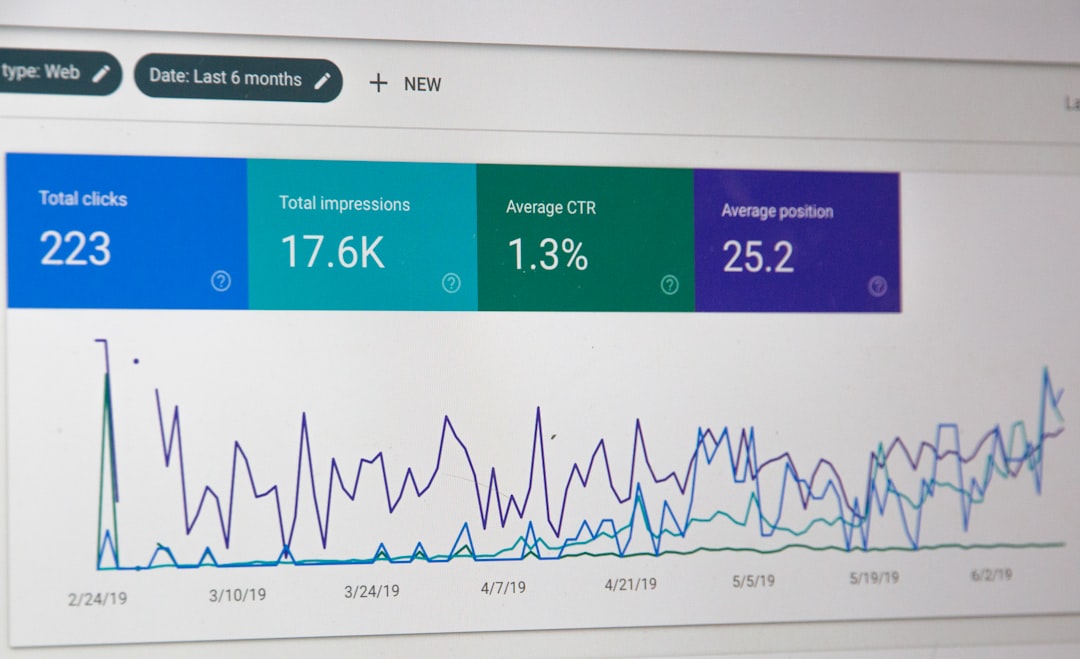
Setting Up Google Search Console and Bing Webmaster Tools
Setting Up Google Search Console and Bing Webmaster Tools
To improve your website’s visibility and ranking on search engines like Google and Bing, it’s essential to set up Google Search Console and Bing Webmaster Tools. These tools provide valuable insights into your website’s performance, helping you identify areas for improvement and optimize your search engine optimization (SEO) strategy. In this article, we’ll guide you through the process of setting up these tools and getting the most out of them.
When it comes to search engine optimization, timing is crucial. It’s best to set up these tools during the early stages of your website’s development, as they can help you track your progress and make data-driven decisions. Additionally, setting up these tools can help you identify and fix any technical SEO issues that may be hindering your website’s performance.
Setting Up Google Search Console
Step 1: Create a Google Account
To set up Google Search Console, you’ll need a Google account. If you don’t have one, create a new account and verify your email address. This will give you access to all of Google’s tools, including Search Console. Once you have a Google account, navigate to the Google Search Console website and sign in.
Next, you’ll need to add your website to Search Console. Enter your website’s URL and click “Add a property.” You’ll then need to verify your website’s ownership using one of the available methods, such as HTML tag verification or DNS verification. Once you’ve verified your website, you’ll have access to a wealth of data and insights.
Setting Up Bing Webmaster Tools
Step 1: Create a Bing Account
To set up Bing Webmaster Tools, you’ll need a Bing account. If you don’t have one, create a new account and verify your email address. This will give you access to all of Bing’s tools, including Webmaster Tools. Once you have a Bing account, navigate to the Bing Webmaster Tools website and sign in.
Next, you’ll need to add your website to Webmaster Tools. Enter your website’s URL and click “Add a site.” You’ll then need to verify your website’s ownership using one of the available methods, such as meta tag verification or XML file verification. Once you’ve verified your website, you’ll have access to a range of tools and insights to help you optimize your website for Bing.
Using Google Search Console and Bing Webmaster Tools
Once you’ve set up Google Search Console and Bing Webmaster Tools, you can start using them to improve your website’s performance. Both tools provide keyword research and backlink analysis features, helping you identify areas for improvement and optimize your content marketing strategy. You can also use these tools to submit your sitemap and robots.txt file, helping search engines understand your website’s structure and content.
In addition to these features, Google Search Console and Bing Webmaster Tools provide insights into your website’s traffic and user behavior. You can use this data to identify trends and patterns, helping you refine your digital marketing strategy and improve your website’s overall performance.
Optimizing Your Website for Search Engines
To get the most out of Google Search Console and Bing Webmaster Tools, it’s essential to optimize your website for search engines. This involves conducting keyword research and creating high-quality content that meets the needs of your target audience. You should also ensure your website is mobile-friendly and has a fast loading speed, as these factors can significantly impact your website’s ranking.
Additionally, you should use header tags and optimize your images to improve your website’s structure and visibility. You can also build high-quality backlinks from other websites to increase your website’s authority and ranking. By following these best practices, you can improve your website’s visibility and drive more traffic to your site.
Insider’s Take
As someone who’s worked with numerous websites, I can attest to the importance of setting up Google Search Console and Bing Webmaster Tools. These tools have helped me identify areas for improvement and optimize my clients’ websites for better performance. One thing I’ve learned is the importance of regularly monitoring your website’s data and making adjustments accordingly. By staying on top of your website’s performance, you can identify trends and patterns, and make data-driven decisions to improve your website’s overall performance. So, take the time to set up these tools and start optimizing your website for search engines – you won’t regret it!