Why Migrating Your WooCommerce Store to a Singapore Data Center Is the Smartest Move You’ll Make This Year
Why Migrating Your WooCommerce Store to a Singapore Data Center Is the Smartest Move You’ll Make This Year
You’ve poured your heart into your WooCommerce store. The product photos are perfect, the checkout flow is seamless, and your inventory is stocked. But there’s one thing that can undo all of it before a customer even clicks “Add to Cart”: speed. Or rather, the lack of it. If you’re on a shared server bouncing between data centers, your 20GB store is already fighting a losing battle against latency. And if your target audience is in Singapore—or anywhere in Southeast Asia—that milliseconds-long delay between your server and their browser is costing you sales, trust, and customer loyalty. The solution? A dedicated home in a Singapore data center. Here’s what you need to know about making the move.
Your Shared Hosting: The Silent Saboteur
You probably didn’t choose shared hosting because you wanted to, but because it was cheap and easy. At first, it works. You can upload a few products, install a theme, and start selling. But then your store grows. You add high-resolution images, detailed product descriptions, and maybe a blog or two. That 20GB of data? It’s a living, breathing archive. Shared hosting means you’re sharing CPU, RAM, and I/O with dozens—maybe hundreds—of other websites. When your neighbor’s traffic spikes, your store’s performance tanks. Worse, your server might be in the United States or Europe, thousands of miles from your Singapore-based customers. Every data packet has to cross oceans and continents, adding 150 to 300 milliseconds to every page load. In the world of ecommerce, that extra half-second can slash conversion rates by 7 percent. You’re not just losing customers; you’re actively training them to look elsewhere.
The Latency Problem: What You’re Actually Feeling
Latency isn’t just a technical buzzword—it’s the gap between a potential customer clicking a link and seeing your store. When your server is in a Singapore data center, the round-trip time for a data packet from a local browser is about 1 to 5 milliseconds. From a shared host in the US, it’s 180 to 250 milliseconds. That might sound insignificant, but multiply it by every product page, cart update, and checkout step. Your customers aren’t just waiting; they’re experiencing friction. Imagine browsing a beautifully curated store on your phone, only to have each image load in slow motion. You’d close the tab. The data center in Singapore becomes your store’s anchor, cutting that friction down to zero. You’ll notice it in your analytics: bounce rates drop, time on site increases, and your checkout completion rate starts climbing.
Your 20GB Store: Why Size Matters
Twenty gigabytes might not sound like a lot in an age of terabyte hard drives, but for a WooCommerce store, it’s a different story. That’s not just product data; it’s product images, PDFs, customer uploads, plugin databases, and cached versions of your pages. Every time a Singapore shopper hits your site, your server has to fetch and serve some piece of that 20GB. On shared hosting, your server is like a librarian who has to walk to another building to retrieve every book. On a dedicated server or VPS in a Singapore data center, that librarian is standing right next to the stacks. Your store responds instantly. You’ll also have room to grow—more products, seasonal campaigns, and the ability to run dynamic features like real-time inventory checks or personalized recommendations without bogging down.
Singapore Data Centers: Your Digital Home Base
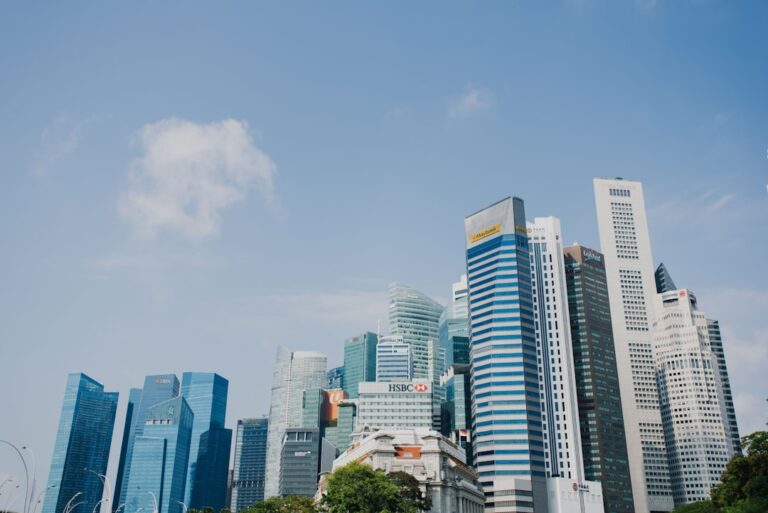
Singapore has become a global hub for data centers. The country sits at the crossroads of major undersea cables linking Asia, Europe, and the Americas. That means your store gets low-latency access not just to Singapore, but to Malaysia, Indonesia, Thailand, and even as far as Australia. You’re placing your digital storefront in a logistics hub that’s designed for speed. The data centers themselves are built to withstand tropical humidity and power fluctuations—something your shared host in a temperate climate isn’t accounting for. Redundant power, backup generators, and 24/7 monitoring keep your WooCommerce store alive even during peak monsoon season.
The Migration Itself: A Roadmap for Your Move
You don’t need to be a server wizard to migrate, but you do need a plan. Start by taking a full backup of your store—not just the files, but the database, your theme settings, and any custom code. Many hosting providers offer free migration tools or even handle it for you. You’ll want to export your WooCommerce data via the built-in export tool: products, orders, customers, and coupons. Next, choose a hosting plan that matches your traffic. For a 20GB store, a mid-tier VPS or dedicated server with at least 4GB of RAM and SSD storage will give you room to breathe. Once your new Singapore server is provisioned, upload your files and database, then update your DNS records. This is the most delicate step—pointing your domain to the new server can take 24 to 48 hours to propagate globally. Plan for a maintenance window during off-peak hours, and test everything before flipping the switch. You’ll want to run a thorough set of product page loads, checkout flows, and payment gateway tests. Nothing ruins a move like a customer hitting a 404 error on a sold-out product.
Speed, Trust, and Revenue
Once your store is live on the Singapore data center, the difference is immediate. Your page load times will drop from 3.5 seconds to under half a second for local users. Your Google PageSpeed score will skyrocket, which doesn’t just please the algorithm—it pleases your customers. Singapore shoppers are famously price-conscious, but they’re also unforgiving about poor user experience. A fast store signals professionalism and reliability. You’ll also see your search rankings improve for local keywords, because Google prioritizes server proximity when delivering results. A 10-percent increase in conversions on a store doing $50,000 a month means an extra $5,000 in revenue—more than enough to justify the upgrade.
Maintenance, Security, and Scale
After the migration, you aren’t done. You’ve upgraded from a bicycle to a sports car, and it still needs regular checkups. Keep your WordPress core, WooCommerce, and plugins updated—every stale plugin is a security hole. Enable SSL certificates (most Singapore data centers offer free Let’s Encrypt integration) and set up a web application firewall. You can also enable caching at the server level—Redis or Varnish—to keep your 20GB store humming even during flash sales. Monitor your traffic patterns: if you see a sudden spike from a new market like Vietnam or the Philippines, you can tweak your CDN settings or even add a secondary server in Hong Kong. The beauty of a Singapore data center is that it’s a launchpad, not a cage. You can scale up resources without migrating again, adding RAM or storage with a few clicks.
The Long View: Making the Most of Your New Home
A Singapore data center isn’t just about latency—it’s about positioning your business for growth. As you add more products, run marketing campaigns, or launch a loyalty program, that low-latency foundation will become your competitive edge. Your customers will trust you more because your site feels fast and reliable. You’ll start to notice fewer abandoned carts and more repeat orders. The effort you put into migrating your 20GB store pays dividends in ways you can’t fully predict, from better SEO rankings to word-of-mouth referrals that are based on a seamless shopping experience. Your store isn’t just a website anymore; it’s a digital storefront that’s rooted in the region you care about.
Making the Leap: Your Next Step
You don’t need to wait for your current hosting to fail or for a customer complaint to force your hand. The move from shared hosting to a Singapore data center is a proactive step toward owning your digital presence. It’s the kind of upgrade that feels intimidating at first but becomes obvious once you’ve done it. The latency lessons you’ll learn are simple: speed is the currency of the modern web, and proximity is how you spend it. Whether you’re selling handmade crafts, tech accessories, or specialty coffee, your customers will reward you with their wallets. So go ahead—start planning your migration. Your store, your bottom line, and your Singapore customers are waiting.